Installation guide
A few clear steps, with no need to contact us.
Activate and download the package
Open the activation page, choose the free trial or paste your licence key, type your organisation’s name and upload its logo, then press “Build and download the package”.
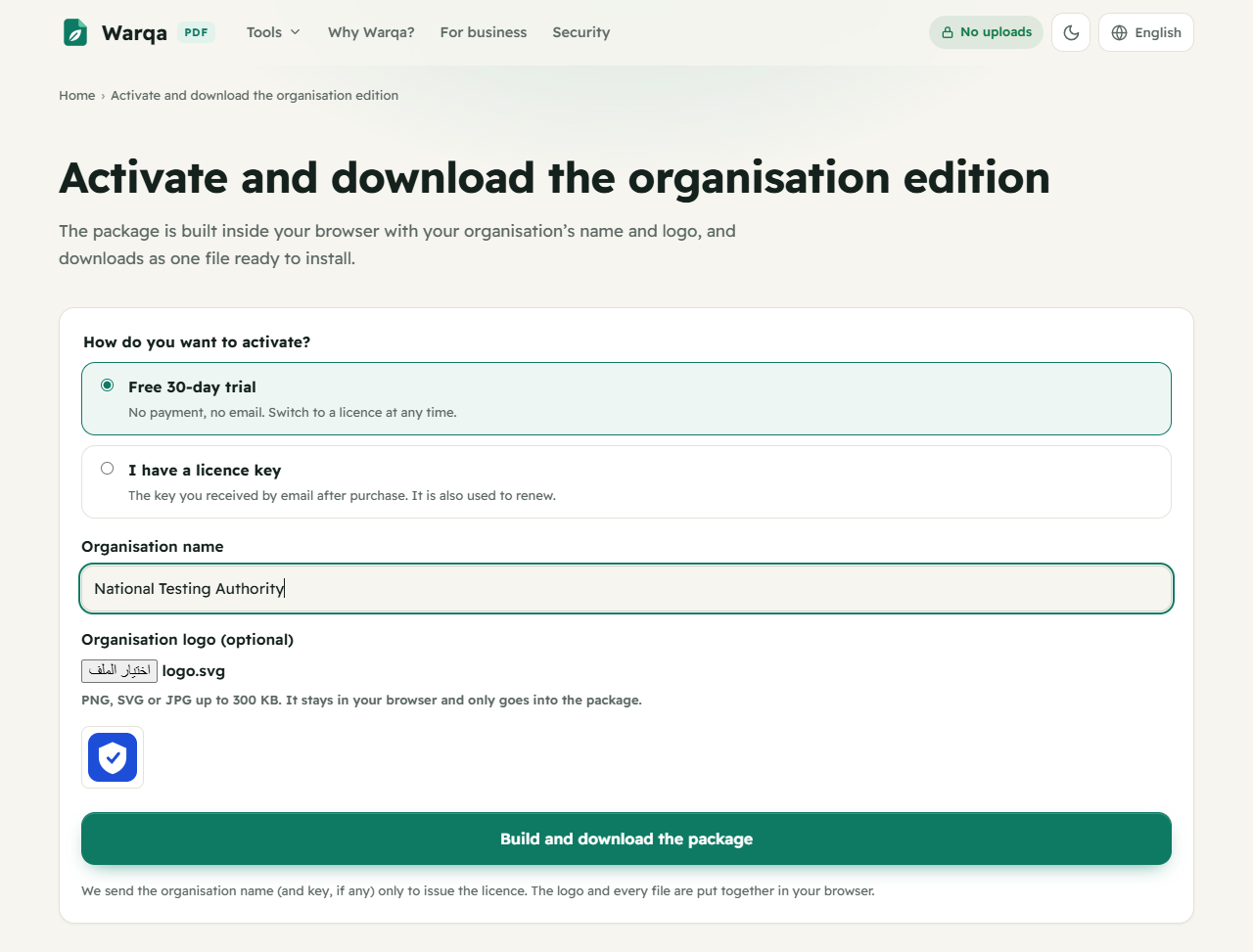
Wait for it to finish
The package is built in your browser and downloads as one file. Unzip it to get the warqa folder: the complete site with your licence file, your logo and server configuration files.
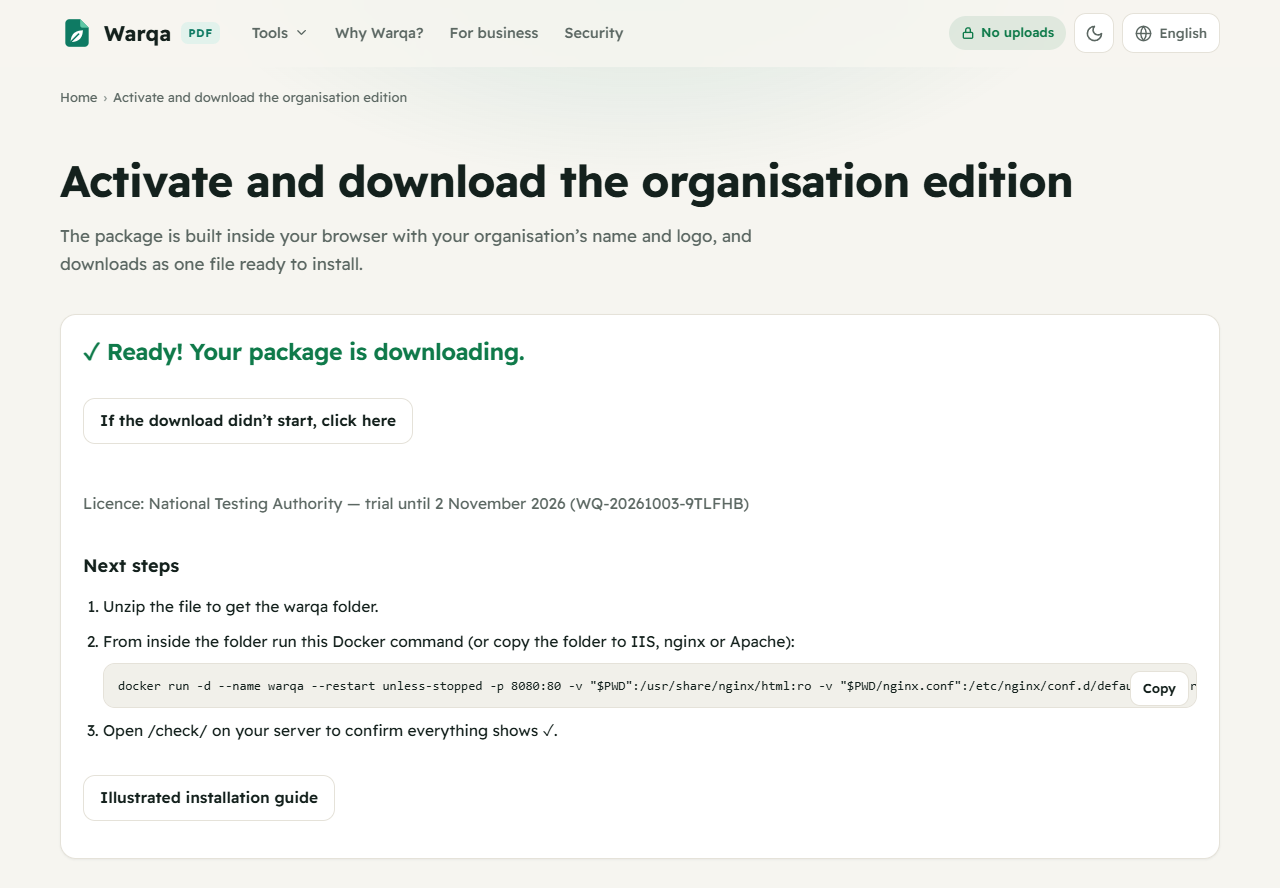
Install the way that suits you
Every way serves static files only: no database and no server-side language.
Docker (Linux or macOS)
From inside the warqa folder:
docker run -d --name warqa --restart unless-stopped -p 8080:80 -v "$PWD":/usr/share/nginx/html:ro -v "$PWD/nginx.conf":/etc/nginx/conf.d/default.conf:ro nginx:alpineDocker (Windows PowerShell)
From inside the warqa folder:
docker run -d --name warqa --restart unless-stopped -p 8080:80 -v "${PWD}:/usr/share/nginx/html:ro" -v "${PWD}\nginx.conf:/etc/nginx/conf.d/default.conf:ro" nginx:alpineIIS on Windows Server
Copy the contents of the warqa folder to the site folder (e.g. C:\inetpub\warqa), then in IIS Manager choose Add Website and set the path and port. The included web.config sets the file types and security headers.
nginx
Copy the folder to the server and use the included nginx.conf with root set to the folder’s path.
Apache
Copy the folder to the DocumentRoot. The included .htaccess is enough, with AllowOverride FileInfo Indexes and mod_headers enabled.
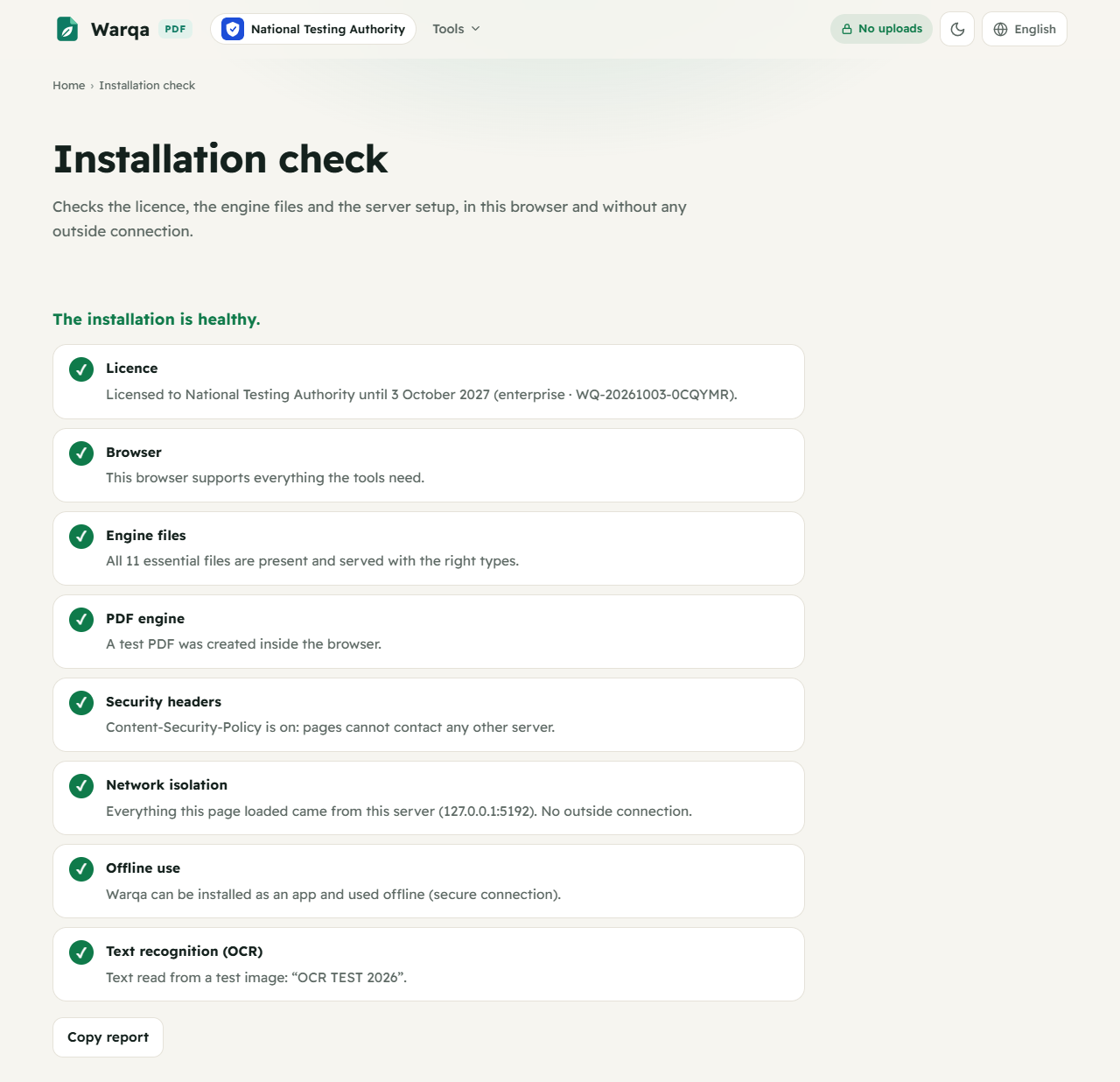
Open the installation check
Open /check/ on your server (e.g. http://your-server:8080/check/). Every item should show ✓; any note explains the exact fix.
Share the link with staff
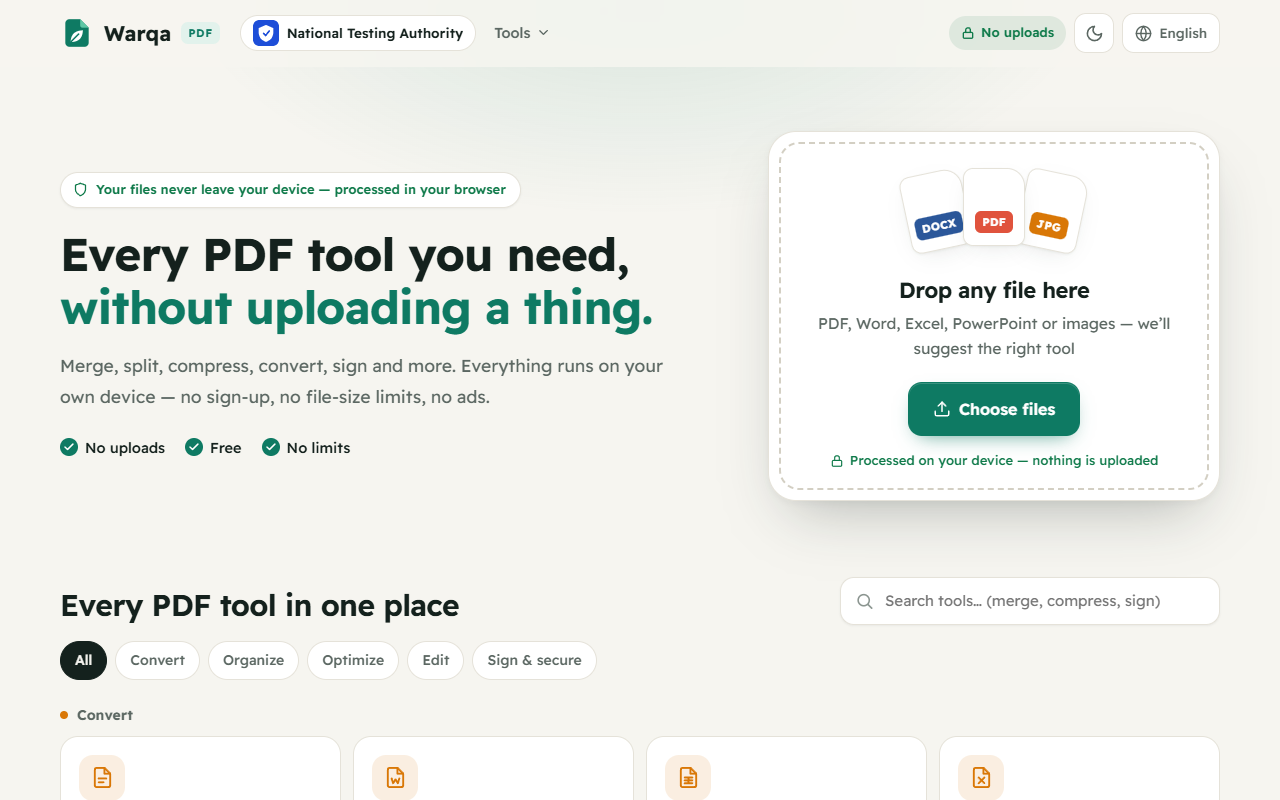
Done. Send the server’s address to your staff: your organisation’s name and logo appear at the top of every page, with nothing to install and no accounts.
Renewal
Before the licence expires, use the same key on the activation page to download an updated package, or replace license.json alone in the folder. If it expires nothing stops: tools keep working with a notice, and only updates pause.